Follow these steps to start optimizing your AI costs with Dakora.
1

Create your account

Sign up at Dakora Studio to get started.Each project has its own templates, API keys, and cost analytics. It perfect for separating development, staging, and production environments.
2

Generate an API key

Navigate to Settings → API Keys and click New Key. Give your key a name, set an expiration (or choose “Never”), and click Create Key.
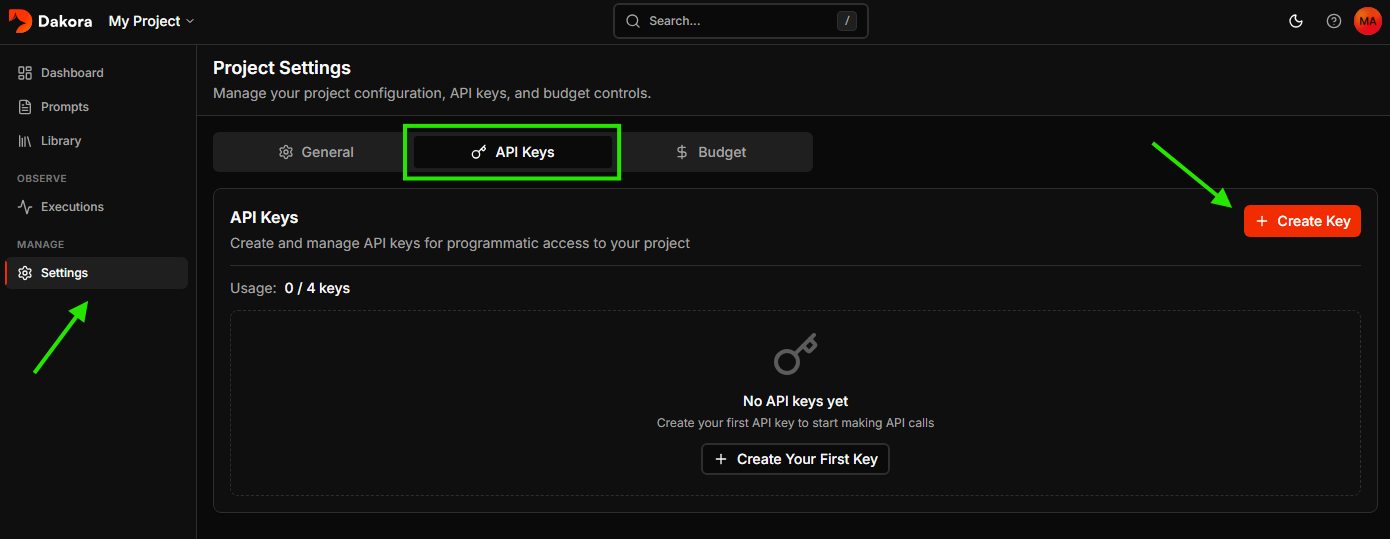
API Keys settings page
Copy your API key immediately - it’s only shown once. Store it securely.
3

Explore starter templates

Every new project comes with starter templates to help you get going quickly.
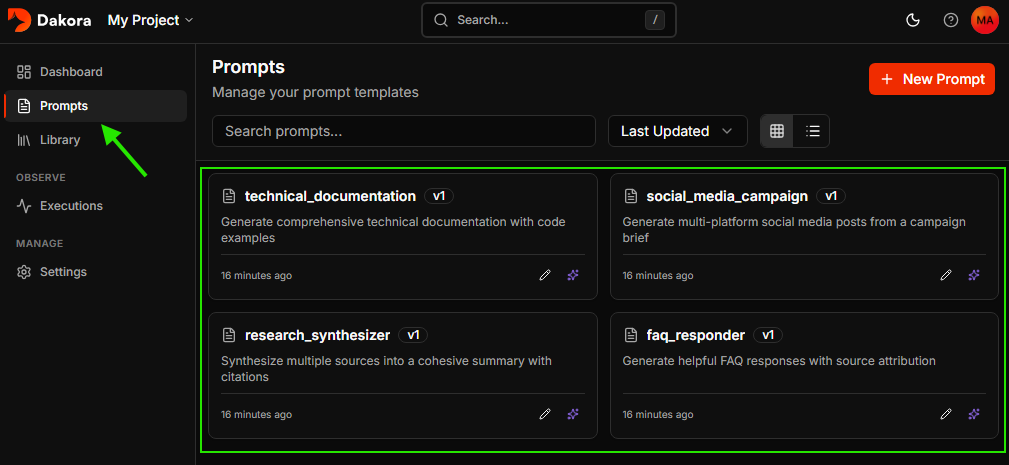
Templates list with starter templates
You can use these templates as-is, customize them, or create your own from scratch in the Studio.
4

Render and execute your first prompt

Install the Dakora SDK and instrumentation packages:
pip install dakora dakora-instrumentation
pip install opentelemetry-sdk opentelemetry-exporter-otlp-proto-http
pip install openai opentelemetry-instrumentation-openai
Make your API keys available as environment variables: DAKORA_API_KEY and OPENAI_API_KEY (via .env file or your preferred method).Now set up instrumentation to track your LLM calls, then render a template and use it with your LLM:
import asyncio
import os
from opentelemetry.instrumentation.openai import OpenAIInstrumentor

# Instrument OpenAI before importing it
OpenAIInstrumentor().instrument()

from dakora import Dakora
from dakora_instrumentation.generic import setup_instrumentation
from openai import OpenAI

async def main():
    # Initialize Dakora client
    dakora = Dakora()

    # Setup instrumentation to track executions
    setup_instrumentation(
        dakora_client=dakora,
        service_name="my-app"
    )

    # Render the FAQ responder template
    result = await dakora.prompts.render(
        "faq_responder",
        {
            "question": "How do I reset my password?",
            "knowledge_base": "Users can reset passwords via Settings > Security > Reset Password.",
        },
    )

    # Use the rendered template with OpenAI (automatically traced)
    client = OpenAI(api_key=os.getenv("OPENAI_API_KEY"))
    response = client.chat.completions.create(
        model="gpt-4o-mini",
        messages=[{"role": "user", "content": result.text}],
    )

    print(response.choices[0].message.content)

    await dakora.close()

asyncio.run(main())
The instrumentation automatically captures token usage, costs, and latency for every LLM call.
5

View your execution

Check the Dakora Studio executions to see your trace with full analytics.
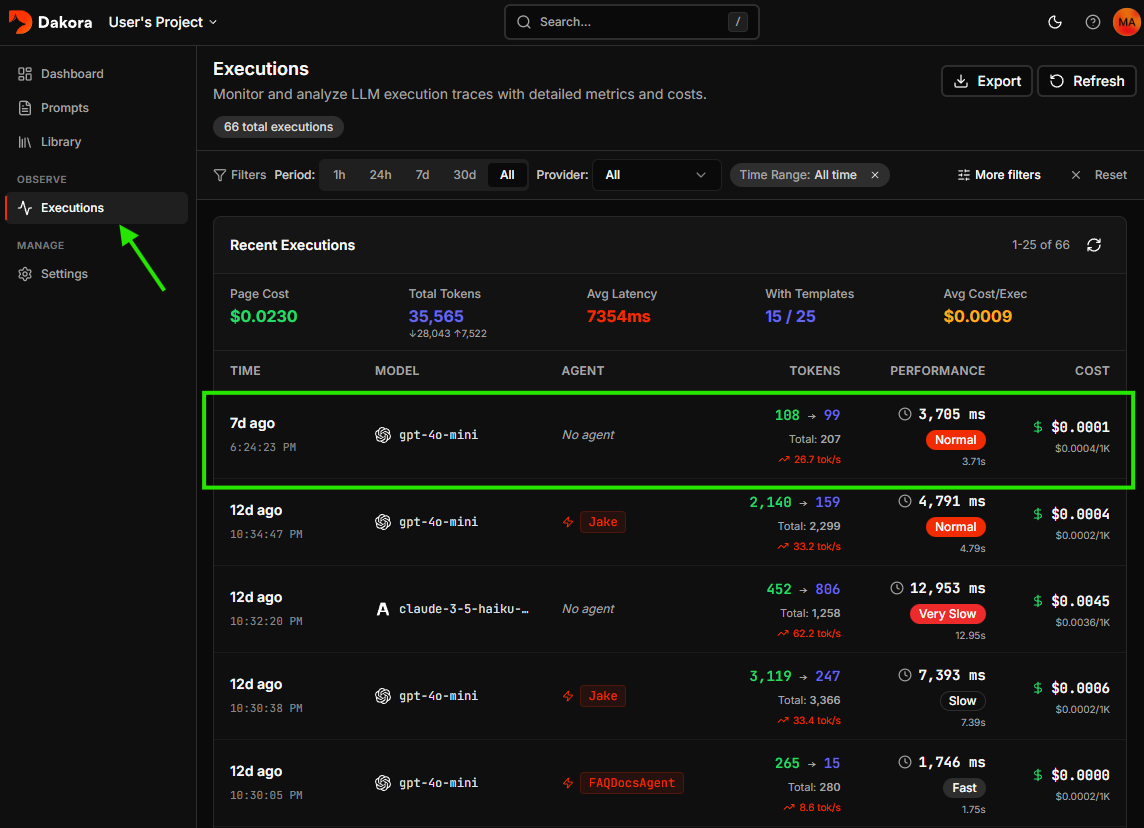
Executions page
See token usage, costs per model, and identify optimization opportunities.

Next Steps