

Overview
Dakora Studio is the central hub for managing your AI operations. Build and version prompt templates, track every LLM execution with detailed analytics, monitor costs in real-time, and set budget controls - all without touching your codebase. Studio gives you complete visibility into token usage, latency, and spending across models and prompts. Update templates in the visual editor and deploy instantly via the SDK. Identify optimization opportunities with cost breakdowns and execution traces.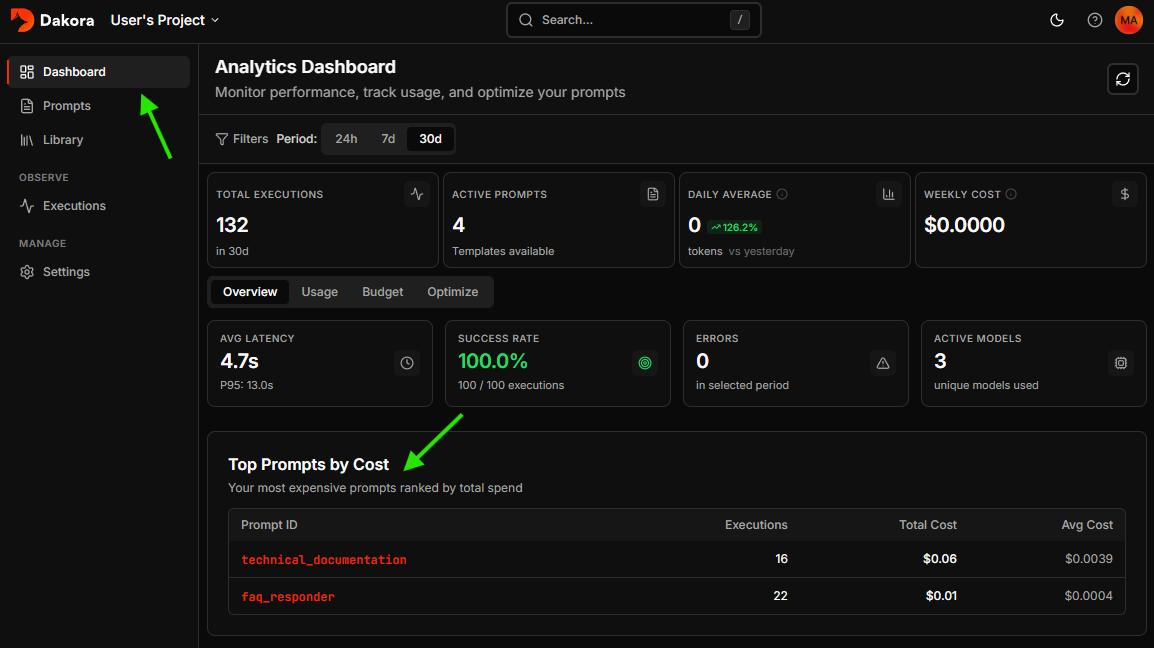
Core Features
Prompts
Create and version prompt templates with input schemas, Jinja2 syntax, and live preview. Roll back to any previous version instantly.
Parts Library
Build reusable snippets for system prompts, safety guidelines, and output formats. Include them in templates with
{% include 'part_id' %}.Analytics Dashboard
Monitor costs, token usage, and performance metrics. View trends over 24h, 7d, or 30d with interactive charts.
Executions
Inspect every LLM call with full conversation history, token counts, latency, and cost breakdown.
Getting Started
- Access Dakora Studio and Sign in or Sign up
- Select a workspace and project (defaults provision automatically on first sign-in)
- Explore sample templates - your first project includes examples demonstrating best practices
Template Editor
Create and update templates with the visual editor.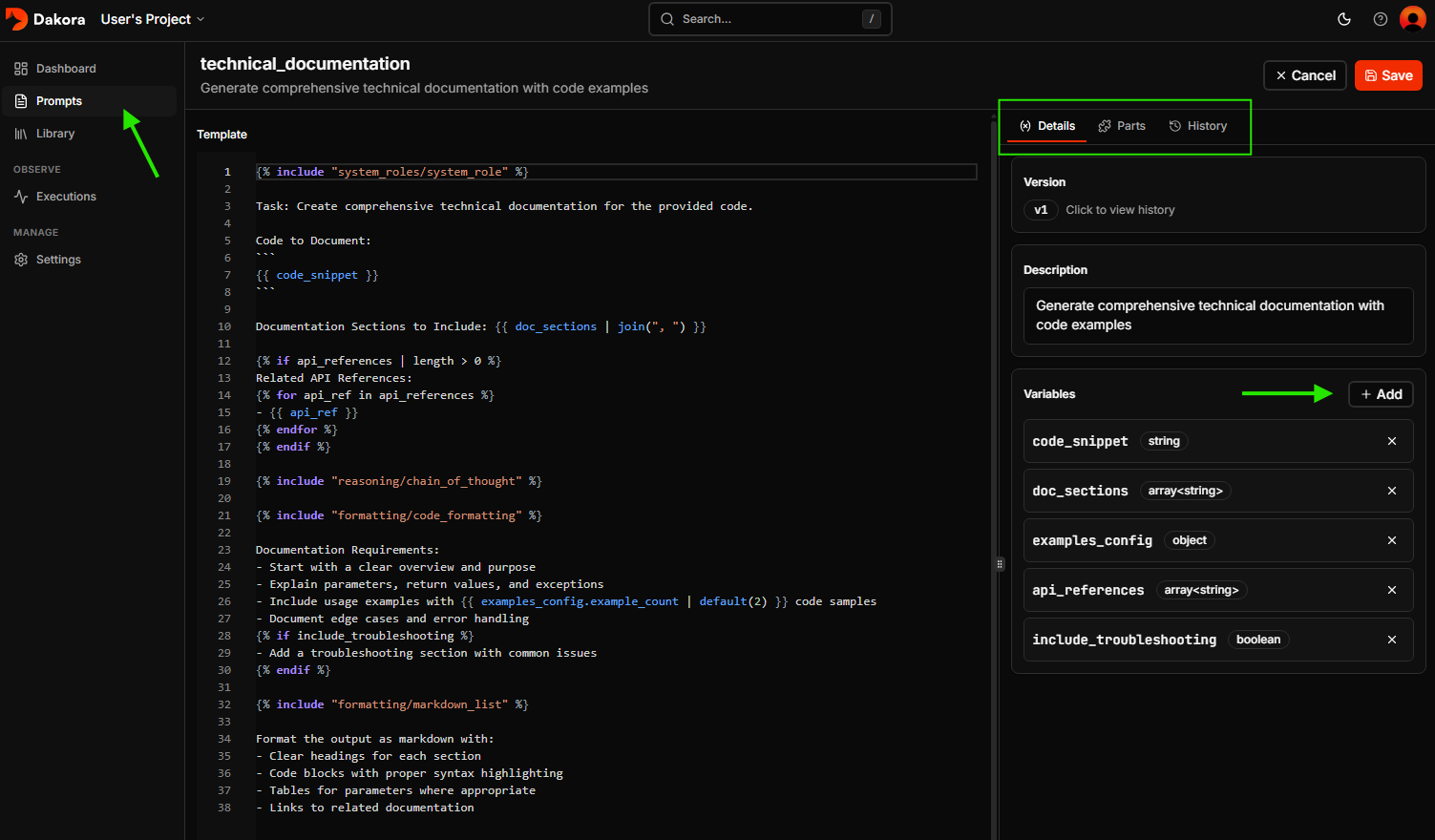
Parts Library
Manage reusable snippets that can be included across templates.- System prompts shared across templates
- Safety guidelines and guardrails
- Output format specifications
- Reusable knowledge blocks
Template Reference
Full documentation on template syntax, input types, and advanced patterns
Settings
API Keys
Generate keys for programmatic access from your applications.- Navigate to Settings > API Keys
- Keys are hashed at rest (shown only once when created)
- Maximum 10 keys per project
Budget Controls
Set monthly spending limits and alerts.- Configure budget amount in USD
- Set alert thresholds (e.g., 50%, 80%)
- Choose enforcement mode (alert-only or block)
Budget Guide
Configure budgets and understand enforcement modes
Keyboard Shortcuts
Next Steps
Quickstart
Build your first template in 5 minutes
Observability
Track executions and analyze costs